 Moose
Moose
Latest draw (feed)
—
Canadian immigration · iPhone
Moose turns Express Entry, PNP, permits, and citizenship into a private milestone timeline — with draw context, planning ranges, and free tools you can use before you even download.
iPhone · iOS 17.6+ · Independent — not affiliated with IRCC.

Latest draw (feed)
—
Programs covered
8
Privacy default
100%
Draw figures come from Moose’s public feed and should be confirmed on the official IRCC rounds table.
Product truth

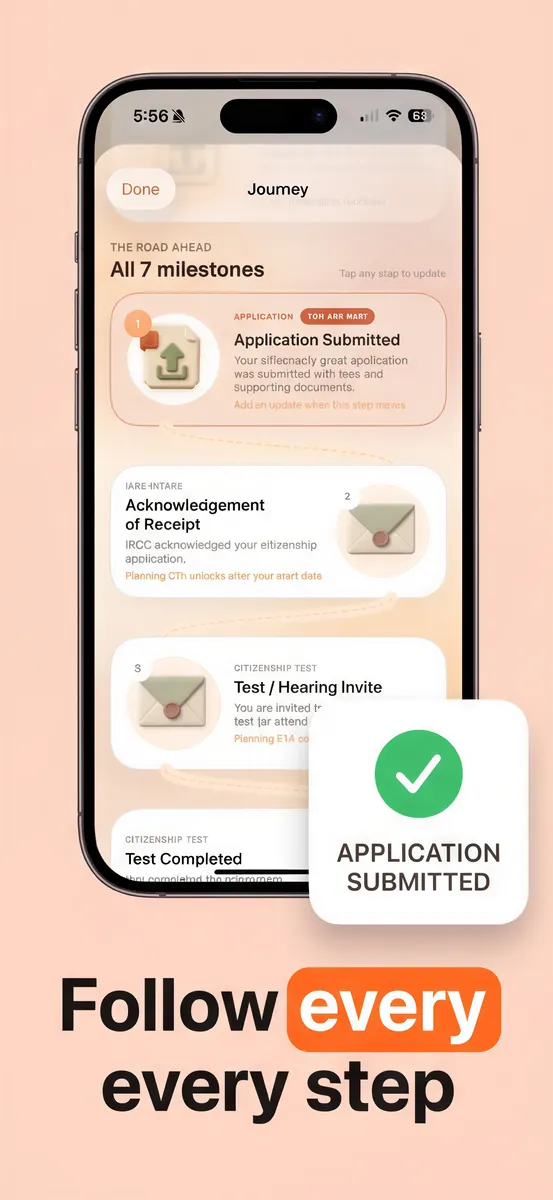
Log AOR, biometrics, medicals, ADR, and decision dates. See your stage without refreshing a government portal every hour.

Context around published processing windows — clearly labeled as planning help, never as a personal prediction.

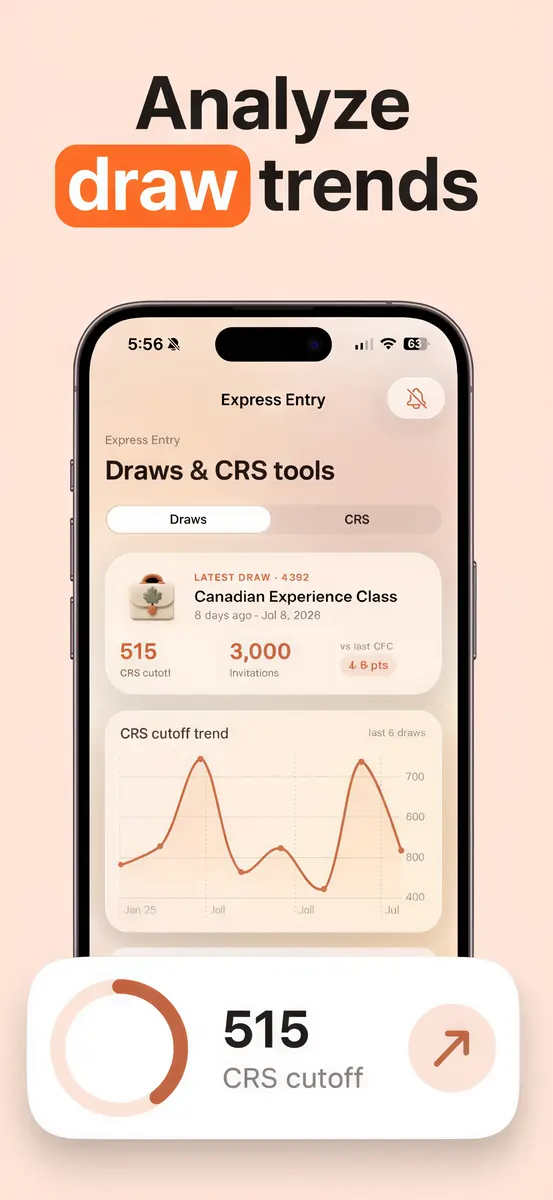
Recent Express Entry rounds, a free CRS calculator, and an improvement planner — also on the website.

Count physical-presence days toward the 1,095-day rule and keep trips organized before you file.

Optional nudges for biometrics, medicals, and new draws — opt-in, never spammy.

Moose never asks for IRCC credentials and cannot show official status. Canada.ca remains the source of truth.
How it works
Set your program once, log the milestones that matter, and keep official checks on Canada.ca. Moose holds the calm middle.

01 · Setup
Express Entry, PNP, work or study permit, visitor, or citizenship. No IRCC login — just the stage you are in today.

02 · Intake
When Acknowledgement of Receipt lands, log it. That date becomes the honest center of your personal timeline.
03 · Requirements
Track requests and completion. Optional reminders keep deadlines from slipping while background checks stay quiet.

04 · Decision
When final documents arrive, celebrate — then roll into citizenship presence counting when you are ready.
Coverage
Free vs Premium
Core tracking + website tools
Optional monthly or annual

Your applications, notes, and trips stay on your iPhone. Moose only downloads public planning data (draws, processing ranges, news). We never ask for IRCC credentials. Read the privacy policy.
Content authority
Twenty+ plain-English articles with Canada.ca citations, plus free tools you can share.
GuideExpress Entry
Programs, CRS, draws, ITA, and what happens after — without the panic.
Read →ToolTools
Estimate points in under a minute.
Calculate →GuideTracking
What common tracker wording means — and doesn’t.
Read →ToolTools
Browse cut-offs and invitation counts.
Explore →GuideCitizenship
What to expect and how it fits the timeline.
Read →FAQ
No. Moose is an independent planning tool built by the Tappa studio. It is not affiliated with, endorsed by, or operated by Immigration, Refugees and Citizenship Canada (IRCC) or the Government of Canada. For your official status, letters, and decisions, always sign in to your IRCC secure account on Canada.ca.
Never. Moose does not ask for IRCC credentials and cannot access your government account. You enter your own milestone dates, and everything stays on your device.
Moose reflects publicly published IRCC processing ranges and uses them for planning estimates only. Real timelines vary by case. Treat every number as guidance, not a guarantee.
Express Entry (FSW, CEC, FST), the Provincial Nominee Program, work permits, study permits, visitor visas, and citizenship — each with its own milestone template.
Moose is free to download and use, with an optional monthly and annual subscription that unlocks advanced tracking. No account and no ads that sell your data.
Your applications, notes, and trips are stored locally on your iPhone. Moose only downloads public planning data such as draws, processing times, and news — it never uploads your personal case details.

Begin
Moose is preparing for the App Store. Meanwhile, use every free guide and calculator on this site — then check back for the iPhone download.
When the Moose listing goes live, this button will point to the product page — not a generic developer directory.